



Summary
The problem
Generative AI tools were spreading through art, but they were built by and for people who think in prompts and parameters. Fine artists, trained to think in material, emotion and composition, were mostly outside the conversation.
What I did
I surveyed 20 artists, evaluated the main generative tools, then ran in-depth collaborations with 3 fine artists who used them on their own work while I recorded their process and feedback. Each insight became an experiment.
What changed
Three tensions between artistic practice and AI generation, a response to each, and an installation shown at three exhibitions that invites the audience to reflect on how AI art has changed the way they look at art.
Context
The project where my AI practice started.
I trained as a fine artist before I became a designer. In 2024, generative image tools were everywhere, and the debate about them was loud, but artists with traditional training were rarely the ones testing them. “Conversation” set out to put them in the room: what happens when people who think in brushstrokes start working with models that think in patterns?
It was my MA research project, which I ran on my own, working with artists throughout. It began with background research (a literature review, articles, a survey of 20 artists, and interviews with artists and designers from different backgrounds), which shaped a roadmap for working with artists.
Problem
The questionHow does AI influence artistic expression, and how can artists use it without losing what makes their work theirs?
Why it was hard
- The tools speak a different language. Prompts, seeds and weights, not composition, texture and intent.
- Control and access pull apart. The tools with the most control were the hardest to learn and needed powerful hardware.
- The models carry their own taste. Training data pushes outputs towards the same polished, photorealistic look, and many community style models are heavily commercialised.
- Big open questions underneath. Authorship, originality, bias and data use sit behind every practical question (see the mind map).
Approach
Research the tools
I tested Stable Diffusion (in ComfyUI, with AnimateDiff and StreamDiffusion), Midjourney, DALL·E, Krea and Runway for control, usability, efficiency and accessibility.
Design the collaboration
A roadmap with clear objectives (first impressions, how artists approach the tools, where they struggle), criteria for participants, and six steps: brief, prepare tools, use tools, record, discuss, reflect.
Collaborate with artists
In one- to two-week online collaborations, three fine artists worked on their own ideas with the tools. I helped them set up, recorded what they generated and how, and kept an ongoing exchange about what worked.
Turn insights into experiments
Each tension the artists ran into became an experiment with the tools, and the experiments became the installation.
Findings
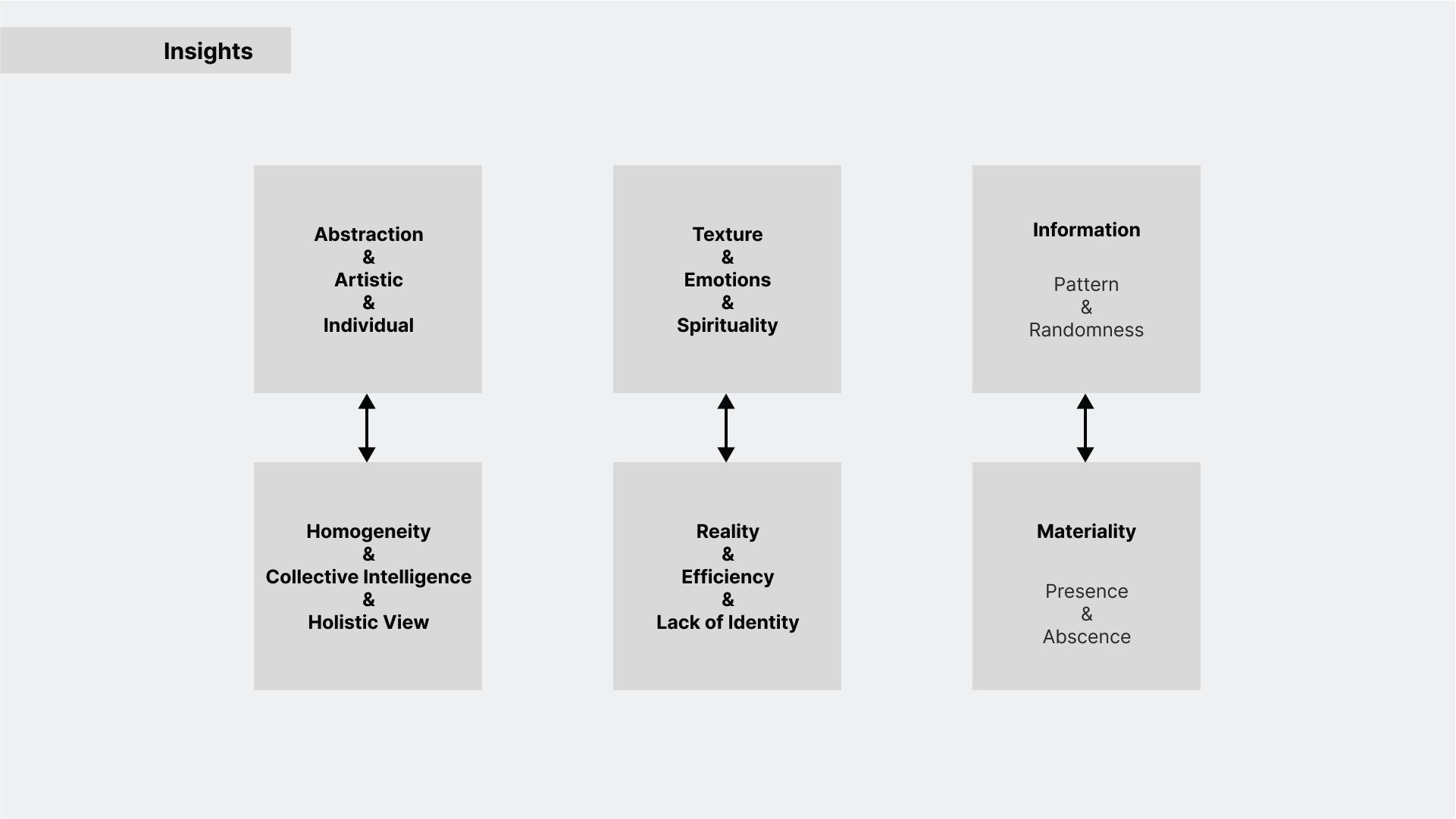
Three tensions between artistic practice and AI generation, and what I did with each.
Steer the model with the artist’s style, not generic prompts
- What we learned
- Artistic abstraction vs homogeneous photorealism: with text prompts alone, the tools kept pulling artists’ ideas towards the same polished, photorealistic look.
- What I recommended
- Reduce the friction with style-specific models (an art-style LoRA or an IP-Adapter), and encourage artists with solid training to take part in training these models. Most available style models are heavily commercialised and sexualised.
- Trade-off
- Style models add setup and technical skill, the very barrier that kept artists out. The benefit is output that starts closer to the artist’s own language.
Use AI for references and inspiration, not the finished piece
- What we learned
- Emotion, spirituality and identity vs collective intelligence, efficiency and a lack of identity: AI was fast and broad, but what it produced didn’t feel like anyone’s.
- What I recommended
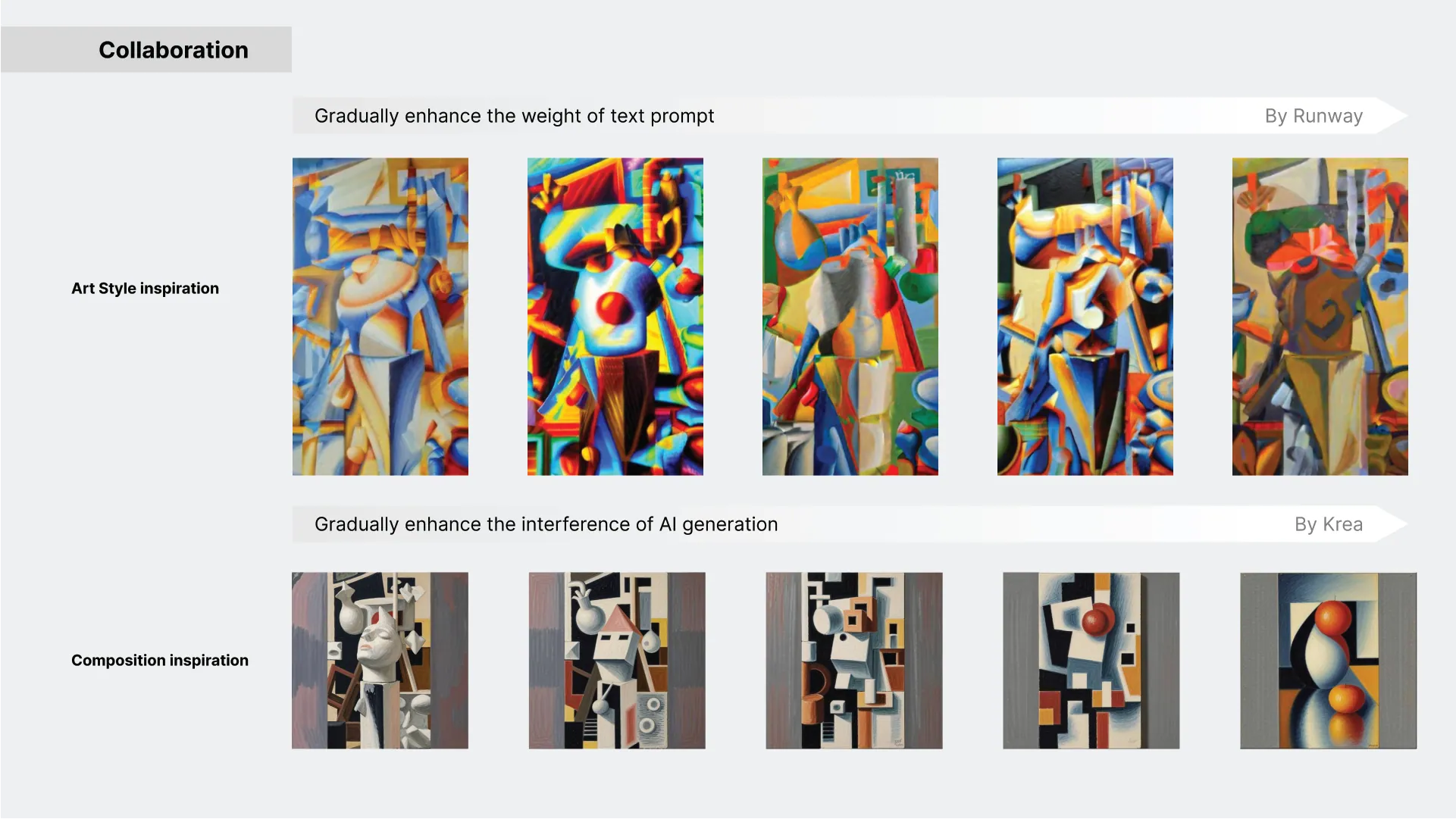
- Put the AI’s speed where it helps: generating composition references (Krea) and style references (Runway) that the artist then works from, keeping authorship with the person.
- Trade-off
- Less of the final output is AI-made, so less time is saved. Artists kept identity and intent, which they valued more.
Show the difference, don’t hide it
- What we learned
- Information vs materiality: AI images are made of information (pattern and randomness), while an artwork has materiality (presence and absence).
- What I recommended
- Design the final piece to emphasise that difference: a real-time StreamDiffusion setup in TouchDesigner, built so the audience reflects on how AI-generated art has changed the way they look at artworks.
- Trade-off
- An installation that raises questions rather than answering them, so it is less of a tool and more of a provocation.
Outcome
Shown at three exhibitions
The real-time AI installation was shown at the RCA MA graduate show and at two digital design exhibitions in China.
Three principles for artists working with AI
Steer with the artist’s style, use AI for references rather than the finished piece, and make the difference between human and machine visible.
Where my AI practice began
The questions here (who stays in control, what the AI should and shouldn’t do, how to make its work visible) are the same ones I now design for in AI products.
Reflection
What I’d do differently: give artists more time with fewer tools. Setting up and learning the tools took much of the collaboration, which left less time for the work itself.
What I’d take forward: the most useful AI here was the kind that knew its place, offering references and options while leaving the decisions with the person. It’s the same idea behind the agent experiences I design now.